
Table of Contents
- The Quick Answer: Our Top 3 Picks
- What Is a Fancy Text Generator?
- How We Ranked the Best Fancy Text Generators
- The 10 Best Fancy Text Generators Compared (2026)
- Best Fancy Text Generator by Use Case
- How to Use a Fancy Text Generator (Copy and Paste in 30 Seconds)
- Fancy Text Styles Worth Knowing
- Where Fancy Text Works (and Where It Doesn’t)
- 5 Mistakes to Avoid With Fancy Text
- Frequently Asked Questions
You’ve seen them everywhere: Instagram bios in flowing script, TikTok usernames in gothic blackletter, Discord nicknames in bubble letters. None of those people installed a special font — they used a fancy text generator to turn plain words into stylish Unicode characters they could copy and paste anywhere.
But not all generators are equal. Some offer 100+ styles with one-click copy; others are thin, ad-buried pages. We tested the most popular free options to find the best fancy text generator for every use case — so you can pick the right one in minutes.
The Quick Answer: Our Top 3 Picks
- Best overall: Zyrro Fancy Text Generator — free, no signup, 40+ Unicode styles with instant copy buttons, built specifically for social bios and captions.
- Best for style variety: LingoJam — the long-running classic with dozens of style categories and a huge community.
- Best for design work: FlareFont — combines Unicode styles with real downloadable fonts and PNG/SVG export.
Keep reading for the full 10-tool comparison table, use-case recommendations, and the mistakes that trip up most beginners.
What Is a Fancy Text Generator?
A fancy text generator is a free online tool that converts plain text into styled text you can copy and paste into apps that don’t normally allow formatting — Instagram bios, TikTok captions, Discord nicknames, WhatsApp messages, gaming profiles, and more.
The trick is Unicode, not fonts. Unicode — the universal character standard behind every device — reserves entire blocks for styled letters: the Mathematical Alphanumeric Symbols block alone gives you bold, italic, script, fraktur, double-struck, and monospace variants. A generator is simply a lookup table: type “hello”, and it maps each letter to its styled counterpart — 𝐡𝐞𝐥𝐥𝐨, 𝘩𝘦𝘭𝘭𝘰, 𝓱𝓮𝓵𝓵𝓸, 𝔥𝔢𝔩𝔩𝔬. Because the output is real text, not an image, it survives copy-paste into any plain-text field.
Note: “Fancy fonts” are not fonts you install — they are characters that already look styled. That is why a copy and paste fonts tool works instantly with no app, no account, and nothing uploaded to a server.
How We Ranked the Best Fancy Text Generators
We evaluated each tool against five criteria that matter to real users:
- Style count and quality — how many genuinely distinct, readable styles you get.
- Copy-and-paste experience — one-click copy buttons vs. manual text selection.
- Ads and annoyances — whether the page is clean or buried in pop-ups and redirects.
- Compatibility guidance — does it warn you about styles that break on some devices?
- Privacy and cost — free without signup is the standard; anything that demands an account loses points.
The 10 Best Fancy Text Generators Compared (2026)
Here is the full field at a glance. Every tool below is a text font generator that works in your browser with no installation.
| Tool | Style Count | One-Click Copy | Best For | Price |
|---|---|---|---|---|
| Zyrro Fancy Text Generator | 40+ | Yes | Social bios and captions | Free |
| LingoJam | 80+ | Partial | Maximum style variety | Free |
| CoolSymbol | 100+ | Yes | Symbols and decorations | Free |
| UltraTextGen | 88 | Yes | Clean, fast generation | Free |
| FlareFont | 40+ Unicode, 100+ real fonts | Yes | Design and export work | Free |
| StylishText.io | 20+ generators | Yes | Compatibility-checked styles | Free |
| FancyTextGen.net | 50+ | Yes | Simple no-frills use | Free |
| MegaConvert | 25+ | Yes | Beginners (great guides) | Free |
| NicknameStyle | 100+ | Yes | Gaming names and nicknames | Free |
| TextTrick | 60+ | Yes | Quick social styling | Free |
1. Zyrro Fancy Text Generator — Best Overall
Our own free fancy text generator was built for exactly this job: 40+ hand-picked Unicode styles, instant one-click copy on every style, zero ads, zero signup, and everything runs in your browser so your text never leaves your device. The styles are curated for readability on Instagram, TikTok, Discord, and WhatsApp — no tofu boxes, no broken characters.
2. LingoJam — Best for Style Variety
LingoJam is the veteran of this space, with a massive community-built library of style translators — the largest collection in one place. The trade-off: older ad-supported pages, and some styles need manual text selection to copy.
3. CoolSymbol — Best for Symbols and Decorations
CoolSymbol pairs its 100+ text styles with one of the largest symbol libraries online — stars, arrows, hearts, dividers, and decorative frames like ꧁★. Ideal when your bio needs more than styled letters. The interface is busy, but the output quality is consistently good.
4. UltraTextGen — Best Clean and Fast Experience
UltraTextGen keeps it simple: type once, get 88 Unicode styles with clean copy buttons. No clutter, no account, no nonsense. It is the tool to bookmark when you just want to copy and paste fonts quickly and move on.
5. FlareFont — Best for Design Work
FlareFont is the only tool here that does two jobs: Unicode styles for copy-paste and real open-source display fonts rendered in your browser with PNG and SVG export. If you need a fancy-text look for a thumbnail, logo draft, or poster — where Unicode can’t reach — this is the one.
Tip: For everyday social use, start with a dedicated Unicode generator (like Zyrro’s) and only reach for a design tool like FlareFont when you need graphics, not text.
Best Fancy Text Generator by Use Case
The “best” tool depends on what you’re styling. Here is our recommendation for each common job:
| Use Case | Best Pick | Why |
|---|---|---|
| Instagram bios and captions | Zyrro Fancy Text Generator | Curated readable styles, one-click copy, no ads |
| TikTok names and captions | UltraTextGen | Fast, clean, mobile-friendly output |
| Discord nicknames and gaming tags | NicknameStyle | Decorated styles built for gamer names |
| Maximum style hunting | LingoJam | Largest community style library |
| Thumbnails and design graphics | FlareFont | Real fonts with PNG/SVG export |
| Learning how it all works | MegaConvert | Best beginner guides alongside the tool |
How to Use a Fancy Text Generator (Copy and Paste in 30 Seconds)
Every generator follows the same basic flow. Here it is, step by step:
- Open the generator in your phone or desktop browser — no app to install.
- Type or paste your text into the input box (your name, a bio line, a caption).
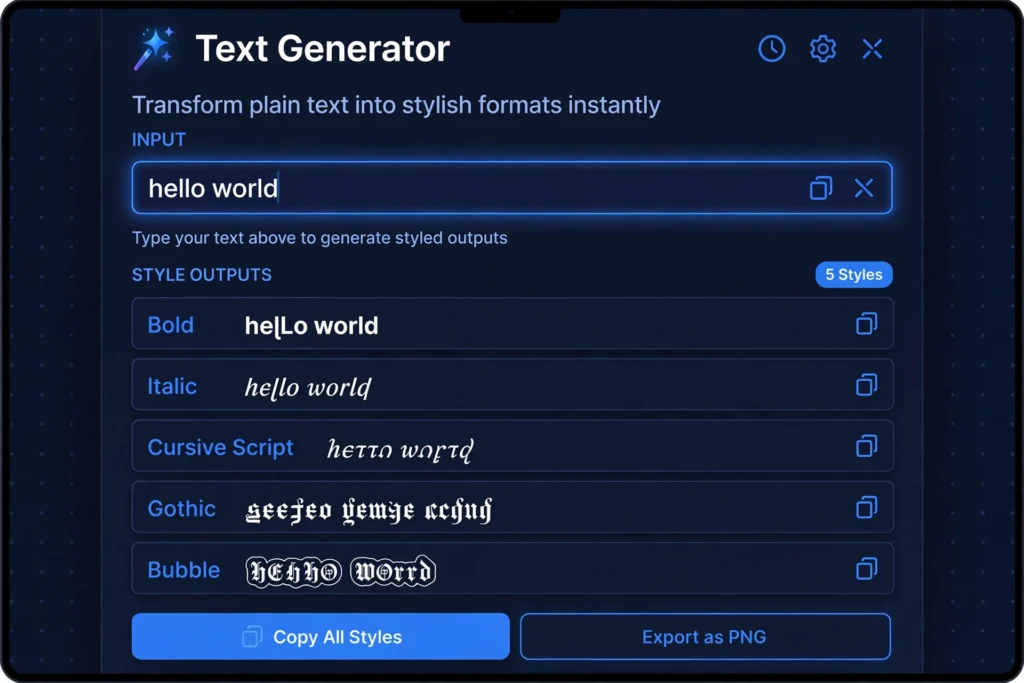
- Browse the style outputs — script, bold, gothic, bubble, small caps, and dozens more appear instantly.
- Tap the copy button on the style you like (good tools have one per style).
- Paste it into your Instagram bio, TikTok caption, Discord nickname, or WhatsApp message.
That’s the whole process behind fancy text copy paste: type once, copy the styled version, paste it anywhere. The styled characters are plain Unicode text, so they display for everyone who sees your profile — no font installation needed on their end either.
Note: On phones, open the generator in your mobile browser rather than installing a “fonts” keyboard app. Keyboard apps do the same character swap but can read everything you type — a copy-paste tool is the more private option.
Fancy Text Styles Worth Knowing
Generators offer dozens of styles, but a handful do most of the work. Learn these and you’ll recognize 90% of what you see online:
| Style | Example | Best Used For |
|---|---|---|
| Bold | 𝐡𝐞𝐥𝐥𝐨 | Emphasis in bios and captions |
| Italic | 𝘩𝘦𝘭𝘭𝘰 | Quotes, subtle styling |
| Cursive / Script | 𝓱𝓮𝓵𝓵𝓸 | Elegant bios, aesthetic profiles (see a dedicated cursive text generator for script-only options) |
| Gothic / Fraktur | 𝔥𝔢𝔩𝔩𝔬 | Edgy gamer tags and usernames |
| Bubble | ⓗⓔⓛⓛⓞ | Playful posts and comments |
| Small caps | ʜᴇʟʟᴏ | Clean minimal bios |
| Fullwidth | hello | Aesthetic / vaporwave looks |
| Upside down | oʅʅǝɥ | Jokes and playful messages |
Where Fancy Text Works (and Where It Doesn’t)
Unicode styles work anywhere plain text is accepted — but usernames (@handles) are usually restricted to plain characters, while display names, bios, captions, and messages accept styled text freely.
| Platform | Bio | Captions / Posts | Display Name | Username (@handle) |
|---|---|---|---|---|
| Yes | Yes | Yes | No | |
| TikTok | Yes | Yes | Yes | No |
| X (Twitter) | Yes | Yes | Yes | No |
| Discord | Yes | Yes | Yes | Yes (nickname) |
| Yes | Yes (messages) | Yes | N/A | |
| Gaming (Steam, Xbox) | N/A | N/A | Yes | Varies |
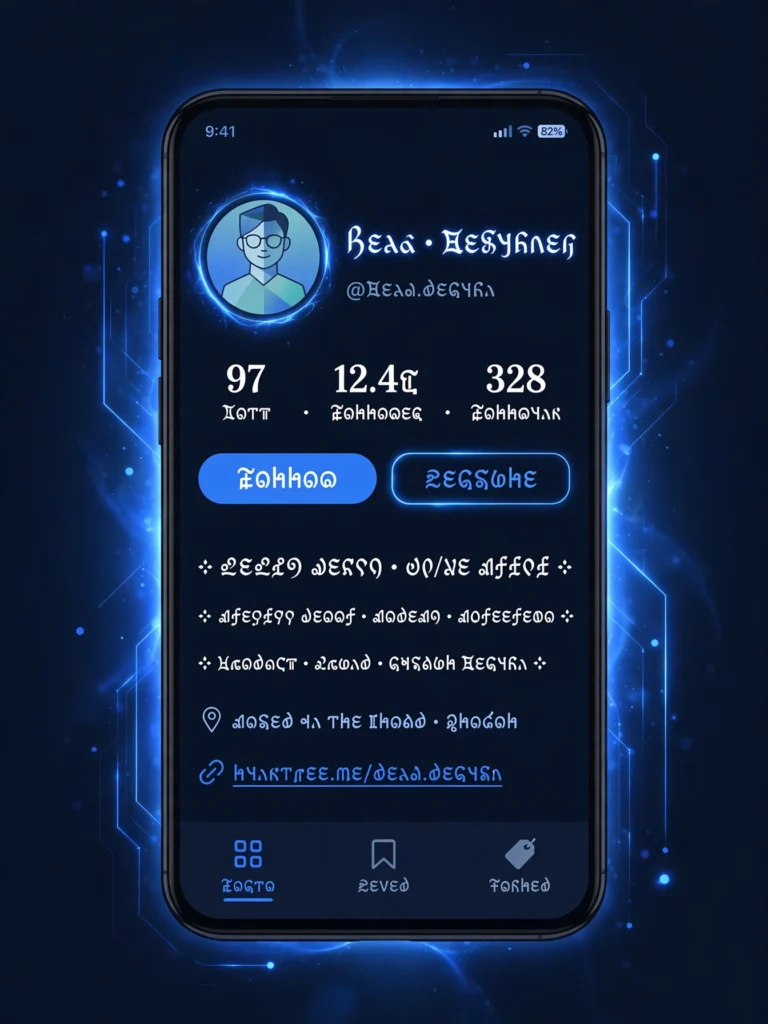
Discord is the friendliest platform of all — server nicknames accept Unicode styles freely, which is why fancy text is so popular there. If you want the full rundown of Discord’s own formatting options, see our guide to Discord text formatting.
5 Mistakes to Avoid With Fancy Text
- Styling your entire bio in script. One or two styled lines look sharp; a whole paragraph in cursive is hard to read and looks spammy. Mix one fancy style with plain text.
- Ignoring screen readers. A screen reader may announce 𝓱𝓮𝓵𝓵𝓸 as “mathematical bold script small h…” — fine for a nickname accent, terrible for a full sentence. Keep key information (contact details, links) in plain text.
- Putting searchable keywords in styled text. Styled characters don’t match plain-text search, on Google or inside apps. Never put words you want found — your name, your niche, your city — in fancy characters.
- Using rare styles on old devices. Some decorative styles render as empty boxes on older phones and apps. Test on a second device, or stick to bold, italic, and small caps, which work almost everywhere.
- Trying it in a username field. Instagram, TikTok, and X restrict handles to plain characters — your styled text will be rejected. Use it in the display name and bio instead.
Tip: Before committing to a style, paste it into the actual field and view your profile from a friend’s phone or a logged-out browser. What looks perfect on your device can render as boxes on someone else’s.
Frequently Asked Questions
How does a fancy text generator work?
It swaps each letter you type for a look-alike Unicode character — for example, “A” becomes 𝓐 (Mathematical Bold Script Capital A). Because these are real characters rather than a font setting, the styling survives copy and paste into any app that accepts text: Instagram bios, TikTok captions, Discord nicknames, WhatsApp messages, and more.
Are fancy text generators free to use?
Yes. Unicode characters are not copyrighted fonts, so every reputable generator is free with no signup. You can paste styled text anywhere, including commercial posts — how it looks depends on the viewer’s device fonts, not on any license.
Why do some fancy fonts show up as boxes or question marks?
That happens when a device or app’s font doesn’t include the Unicode characters used in that style — usually older phones, some Android keyboards, or apps with limited font support. Switching to a more common style like bold or italic almost always fixes it.
Can I use fancy text in my Instagram or TikTok username?
Almost never. Instagram, TikTok, and X restrict the @handle to plain letters, numbers, dots, and underscores. Fancy text works in your display name, bio, captions, and messages instead — those fields accept full Unicode.
Is fancy text bad for accessibility?
It can be. Screen readers may read styled text letter-by-letter with long technical names, or skip it entirely. Style a word or two for flair, keep essential information in plain text, and prefer small caps, fullwidth, or underline styles, which screen readers handle more gracefully.
Which fancy text styles work everywhere?
Bold, italic, script, small caps, bubble, and fullwidth display correctly on current iPhones, Android phones, Windows, and macOS. Highly decorative styles — glitch, Zalgo, and some circled variants — are the ones most likely to break on older devices. When in doubt, test the style on a second device before posting.
Ready to style your own text? Open the free fancy text generator, type anything, and copy your favorite style in seconds.
Want to flip text backwards too? Try the free reverse text generator — reverse whole sentences, flip each word, or turn text upside down in one click.