
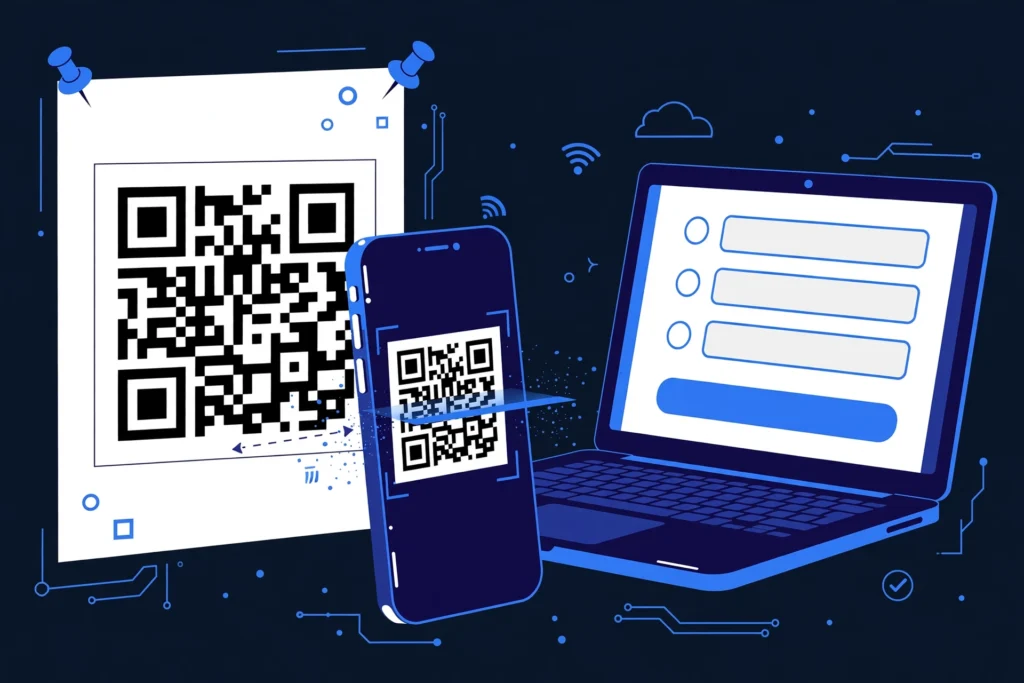
Quick answer: To create a QR code for a Google Form, open your form, click Send, click the link icon, and copy the share link. Paste that link into a free QR code generator, download the PNG, and print it. The whole process takes under two minutes, costs nothing, and anyone who scans the code lands directly on your form.
If you run surveys, event registrations, class quizzes, or customer feedback forms, a QR code is the fastest way to get people to your Google Form — no typing long URLs, no typos. A QR code (short for “Quick Response” code, invented by Denso Wave in 1994) is a square barcode that a phone camera reads in a fraction of a second. At Zyrro, we built this guide to walk you through every free method, step by step.
Table of Contents
- How Do I Get the Share Link for My Google Form?
- How Do I Create a QR Code for a Google Form for Free?
- Does Chrome Have a Built-In QR Code Generator?
- How Do I Make a QR Code for a Google Form on My Phone?
- Which QR Code Generator Is Best for Google Forms?
- Do QR Codes for Google Forms Expire?
- How Big Should I Print a QR Code?
- Where Can I Use a Google Form QR Code?
- Is It Safe to Scan QR Codes? What Is the FBI Warning?
- Frequently Asked Questions
How Do I Get the Share Link for My Google Form?
You get the share link from inside Google Forms: open your form, click the purple Send button top-right, click the link icon (the chain symbol), optionally tick Shorten URL, and click Copy. That copied link is what your QR code will point to.
Two details that trip up beginners:
- Use the responder link, not the editor link. The URL in your address bar while editing would send scanners to a sign-in wall. Always use the Send dialog’s link.
- Check sign-in requirements first. If your form requires Google sign-in, people without a Google account cannot respond. For public surveys, go to Settings and turn off “Collect email addresses” and any sign-in requirement.
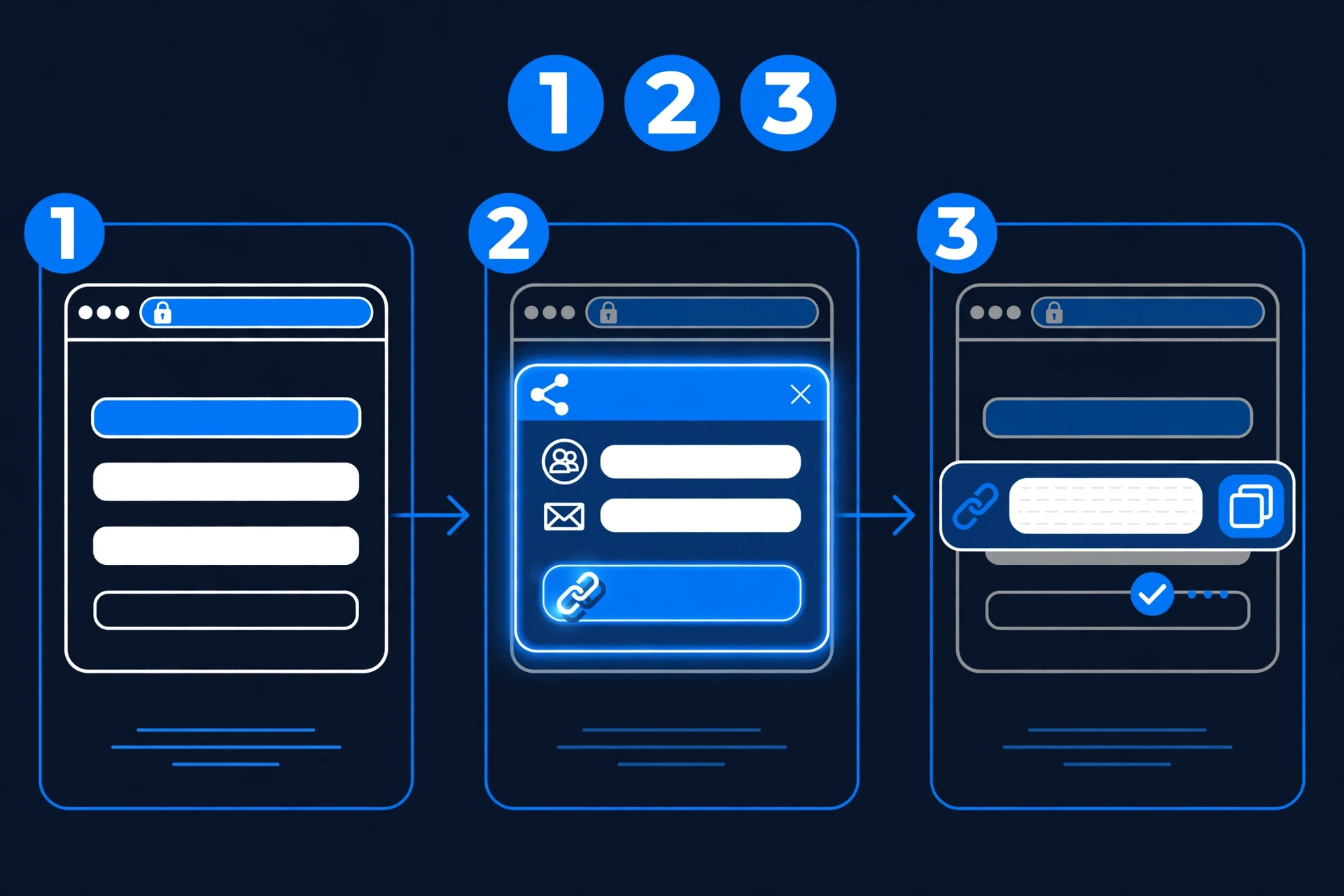
Once the link is in your clipboard, you are halfway done — the second half is turning that link into a scannable image.
How Do I Create a QR Code for a Google Form for Free?
The free method is simple: paste your form’s share link into a free QR code generator, customize the look, and download the image. Using Zyrro’s tool:
- Open Zyrro’s free QR code generator — no sign-up, no watermark.
- Paste your Google Form share link. The preview updates instantly.
- Optional: change colors to match your poster. Keep contrast high — a dark code on a light background scans most reliably.
- Click Download and save the PNG at the highest resolution offered.
- Drop the image into your poster, slide, email signature, or handout.
Tip: A static QR code bakes your form’s URL directly into the pattern. It is free forever, never expires, and needs no account — perfect for Google Forms. You only need a paid dynamic code if you want to change the destination URL later without reprinting.
If you want to create a QR code for any link — not just forms — the same steps apply.
Does Chrome Have a Built-In QR Code Generator?
Yes — Chrome’s desktop browser has a built-in QR code generator, the fastest option when your form is already open. Right-click the form page (not a text field), choose “Create QR code for this page” from the context menu, and a small dialog shows your QR code with a Download button.
Caveats worth knowing: Chrome generates the code from the current tab’s URL — open the responder view (the eye/preview icon) or your copied share link first, never the editor. You cannot customize colors or add a logo, so the output is a plain black-on-white code: fine for handouts, less ideal for branded posters. The code is static, so it works forever and costs nothing.
How Do I Make a QR Code for a Google Form on My Phone?
You can do the entire job on your phone in about two minutes: copy the form link, then generate the QR code in a mobile browser tab.
On iPhone: open your form in Safari or the Google Forms app, tap Send, switch to the link tab, and tap Copy link. Then visit a free generator such as Zyrro’s QR code generator in Safari, paste the link, tap Download, and save the image to Photos.
On Android: open your form’s share link in Chrome, tap the three-dot menu, then Share → QR code — Chrome builds and downloads the code instantly. Or copy the link from the Forms app and paste it into any free generator in your mobile browser.
Testing is even easier on mobile: point your phone’s camera at the downloaded code — both iPhone’s Camera app and most Android cameras recognize QR codes natively and show a tappable link banner.
Which QR Code Generator Is Best for Google Forms?
The best generator is a free, no-sign-up static one — your form link is stable, so you do not need paid dynamic features:
| Generator | Free? | Sign-up needed? | Custom colors/logo | Best for |
|---|---|---|---|---|
| Zyrro QR Code Generator | Yes, unlimited | No | Yes | Free codes, no watermark |
| QRCode Monkey | Yes | No | Yes | Print-quality files |
| Chrome built-in | Yes | No | No | Fastest one-click codes |
| Canva QR app | Yes | Yes (free account) | Yes | Codes inside poster layouts |
| Google Forms add-ons | Varies | Yes | Varies | Bulk codes for many forms |
For a single form, any of the first three is plenty. Choose a paid dynamic-code service (like QRCodeChimp or qr-code-generator.com) only if you need scan analytics or the ability to redirect the code to a different form later.
Do QR Codes for Google Forms Expire?
No — a static QR code for a Google Form does not expire. The code is just a visual encoding of your form’s URL; as long as the form exists and accepts responses, the code keeps working. There is no timer, subscription, or renewal involved.
The exceptions are all on the link side, not the code side: you delete the form (scanners hit a dead page); you turn off “Accepting responses” (scanners see a closed message until you re-enable it); or you used a dynamic QR code from a paid service, which routes through the provider’s servers and can stop working if the subscription lapses. None of this applies to free static codes.
Bottom line: generate a free static code, keep the form live, and your QR code works indefinitely.
How Big Should I Print a QR Code?
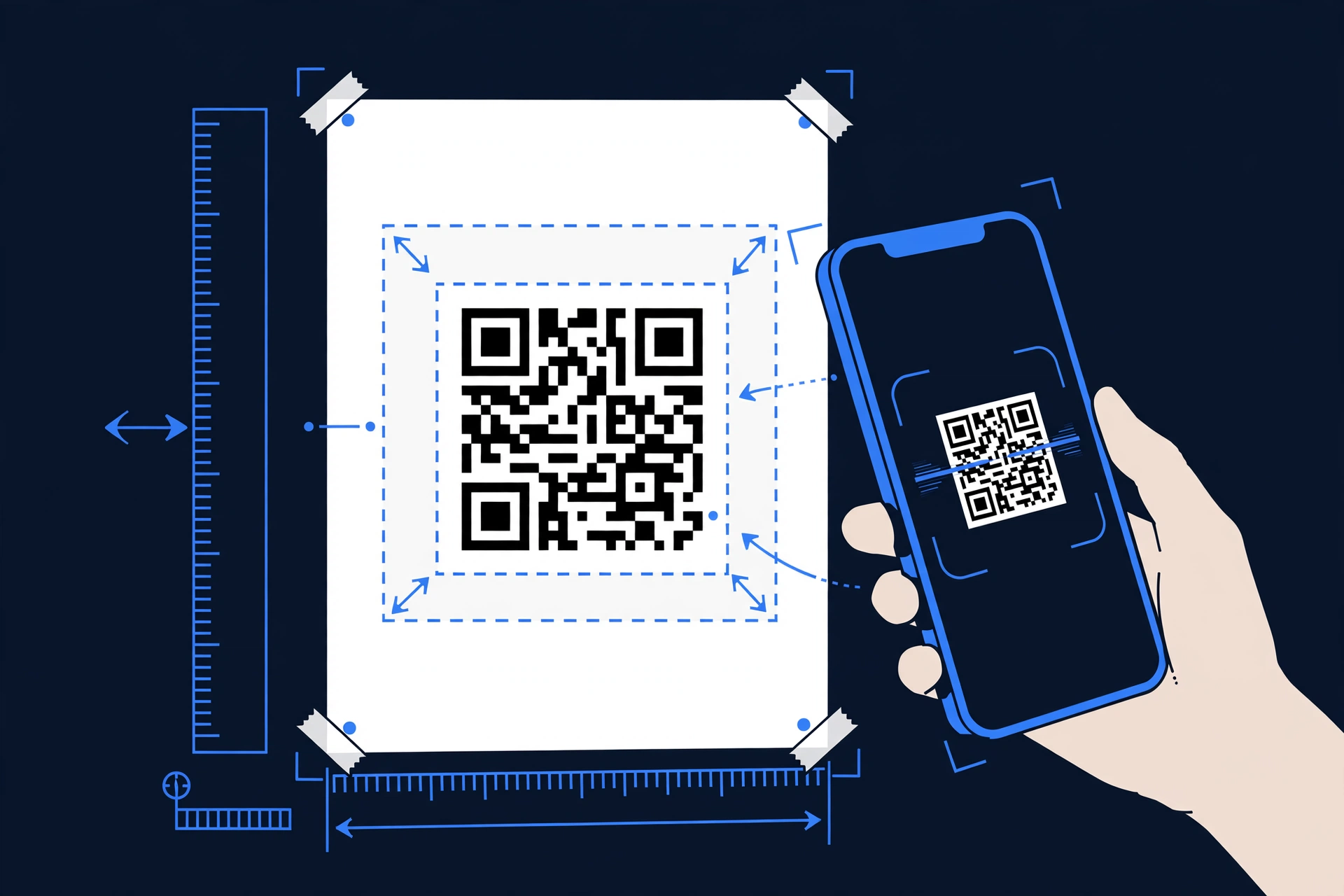
Print your QR code at least 2 × 2 cm (about 0.8 × 0.8 inches) — the widely cited minimum for reliable scanning at arm’s length. For posters scanned from meters away, scale up: roughly 1 cm of code width per 30 cm of scanning distance (about 1 inch per 10 feet).
Three print rules that prevent “it won’t scan” embarrassment: keep the quiet zone — a blank margin at least 4 modules wide (the width of 4 little squares) around the code, which scanners need to detect its edges; high contrast only — black on white is safest, since light-on-dark codes and busy photo backgrounds are the most common causes of dead scans; and test before you print 500 copies — scan the final artwork with both an iPhone and an Android phone, from the distance people will actually stand at.
For screen use (slides, email signatures), any code bigger than about 150 pixels square scans fine.
Where Can I Use a Google Form QR Code?
Anywhere people have a phone in hand and 20 spare seconds: events and conferences (registration and session feedback on table tents), classrooms (quizzes and attendance on the whiteboard), restaurants and retail (feedback forms on receipts and table cards), real estate (viewing feedback on “For Sale” boards), and workplaces (IT requests and RSVPs on noticeboards).
Pro move: pair the code with a one-line call to action (“Scan to leave feedback — 30 seconds”) plus a tiny URL underneath as a fallback.
Is It Safe to Scan QR Codes? What Is the FBI Warning?
Scanning QR codes is generally safe, but a code can hide a malicious link — which is what the FBI warned about. In a January 2024 public service announcement, the FBI’s Internet Crime Complaint Center (IC3) warned that criminals tamper with QR codes — for example, by sticking their own code over a legitimate one — to steer victims to phishing sites that steal logins or payment details, a scam now called “quishing.”
Protect yourself and your audience: preview before you tap — both iPhone and Android show the destination URL in the banner, and if it does not say docs.google.com/forms, do not tap; beware of stickers — a code pasted over another one is suspicious; never enter payment details after scanning a code found in a public place; and as a form owner, print your own codes and place them where tampering would show.
Frequently Asked Questions
Can I generate a QR code from Google Forms?
Google Forms does not have a built-in QR code button, but you can generate one in under two minutes: copy your form’s share link from the Send dialog, paste it into any free QR code generator, and download the image. Chrome’s desktop right-click menu (“Create QR code for this page”) also works directly on the form page.
Does Google have a free QR code maker?
Google does not offer a standalone QR code maker product, but Chrome’s built-in generator is free: right-click any page and choose “Create QR code for this page.” For more control — colors, logos, high-resolution downloads — free third-party generators like Zyrro’s QR code generator or QRCode Monkey fill the gap at no cost.
Can I turn my Google Form into a QR code?
Yes. Every Google Form has a shareable link, and any QR code generator can encode that link into a scannable image. Copy the link via Send → link icon in Google Forms, paste it into a generator, download the PNG, and your form is effectively “turned into” a QR code that opens the form when scanned.
Do QR codes cost money?
Static QR codes are free — the pattern simply encodes your URL, so no service needs to stay involved. You only pay when you want dynamic features: editable destination URLs, scan analytics, or branded short links, which typically cost $5–15/month on services like QRCodeChimp. For a Google Form, the free static option is all you need.
Do QR codes expire?
Static QR codes never expire on their own — they work as long as the encoded link works. A Google Form QR code keeps functioning indefinitely unless you delete the form or stop accepting responses. Only dynamic codes from paid providers can stop working, and only if the subscription behind them lapses.
What is the easiest way to generate a QR code?
The easiest way is Chrome’s built-in generator: right-click the page and select “Create QR code for this page.” If you want a nicer-looking code with custom colors, paste the link into a free online generator like Zyrro’s QR code generator — still no sign-up, still under a minute, but with download and styling options Chrome does not offer.
Conclusion
Creating a QR code for a Google Form comes down to two moves: grab the share link from the Send dialog, and run it through a free generator. Do it once and you have a permanent, cost-free bridge between the physical world and your form — on posters, slides, receipts, and whiteboards. Zyrro’s free QR code generator handles the second step in seconds with no sign-up and no watermark, and our guides on how to create a QR code for any link or a QR code for Wi-Fi cover every other use.