
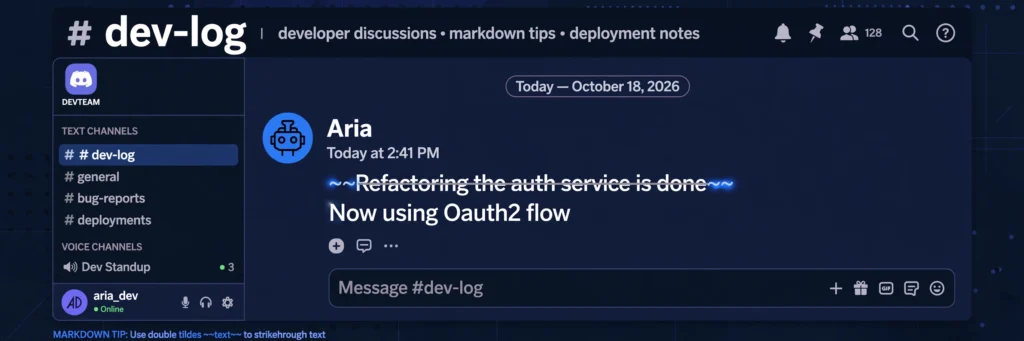
Learning how to strikethrough text in Discord takes about ten seconds: wrap your words in double tildes, like ~~this~~, and Discord draws a line through them when you send the message. It is one of the most useful little formatting tricks on the platform — perfect for corrections, jokes, price changes, and marking tasks as done.
This guide goes beyond the one-line answer. You will learn the exact steps for desktop and mobile, where the tilde key hides on different keyboards, how to combine strikethrough with bold and spoiler tags, what to do when it refuses to work, and where strikethrough does not apply at all.
Table of Contents
- The Quick Answer
- How to Strikethrough Text in Discord on Desktop
- How to Strikethrough Text in Discord on Mobile
- Where Is the Tilde Key? Keyboard Layout Guide
- Strikethrough Without Typing Symbols
- Combining Strikethrough With Bold, Italic, Underline and Spoiler
- How to Add Strikethrough to a Message You Already Sent
- 6 Reasons Your Strikethrough Isn’t Working (and Fixes)
- Where Strikethrough Does and Doesn’t Work
- Cross Out Text vs Other Formatting: When to Use Which
- Frequently Asked Questions
The Quick Answer
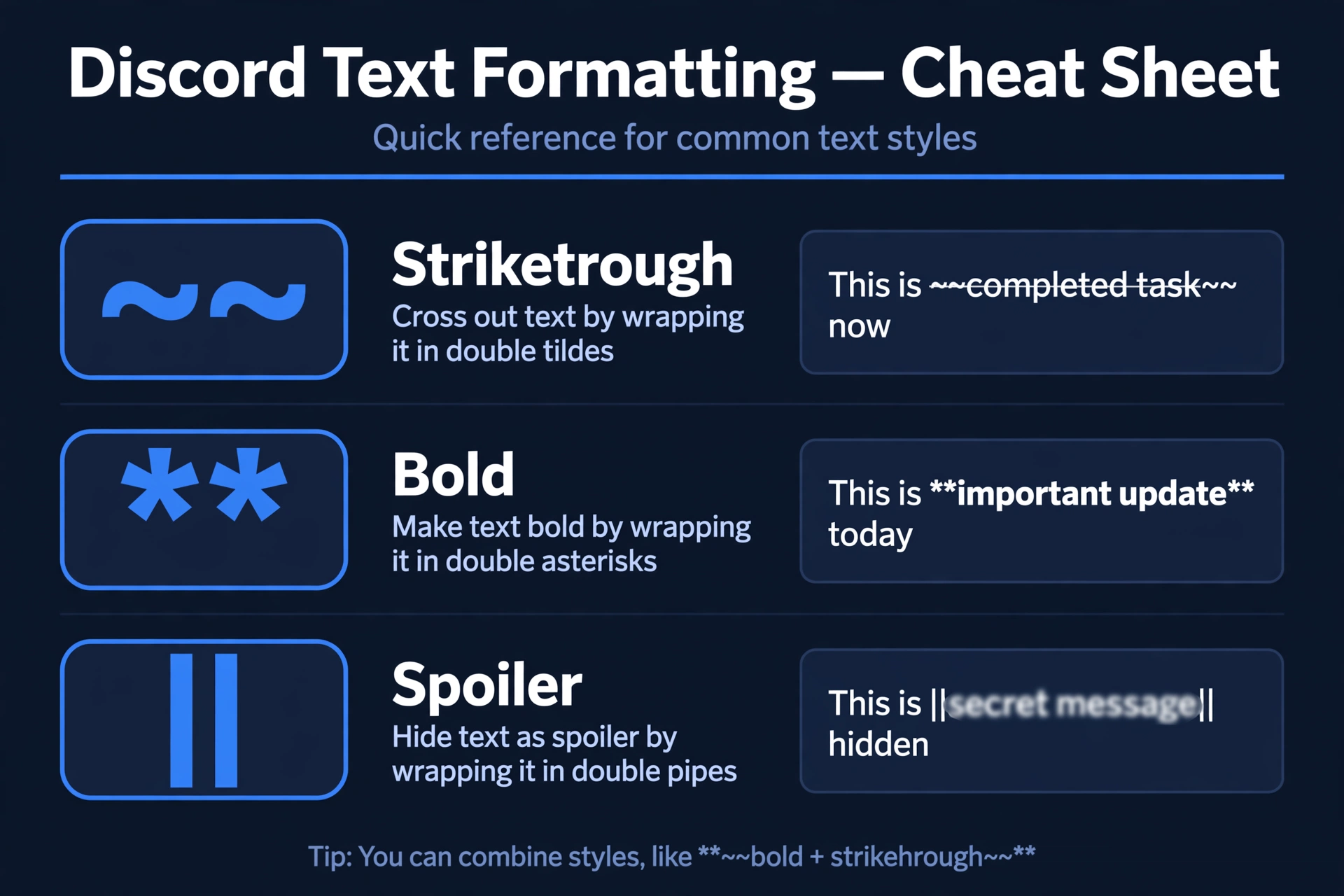
To cross out text in Discord, type two tilde characters (~~) immediately before and after the text, with no spaces between the tildes and the words:
~~Meeting moved to Friday~~Send the message and it renders with a line through it: Meeting moved to Friday. That is the entire trick — the rest of this guide covers the situations where it is not quite that simple.
Tip: Strikethrough is part of Discord’s Markdown formatting system. For the full reference — bold, italic, underline, spoilers, code blocks, colors and more — see our complete Discord text formatting guide.
How to Strikethrough Text in Discord on Desktop
The steps are identical on the Windows app, the Mac app, and Discord in a web browser:
- Open the channel or DM where you want to post.
- Click the message box and type
~~(two tildes). On a US keyboard, the tilde is the shifted character on the backtick key, top-left of the keyboard. - Type your text with no space after the tildes.
- Type
~~again, with no space before them. - Press Enter. Discord renders the line-through formatting instantly.
Example:
~~This project is canceled~~ Just kidding, it's back onOnly the wrapped part gets crossed out; the rest of the message stays normal. You can also cross out single words inside a sentence: The price is ~~$50~~ $40.
How to Strikethrough Text in Discord on Mobile
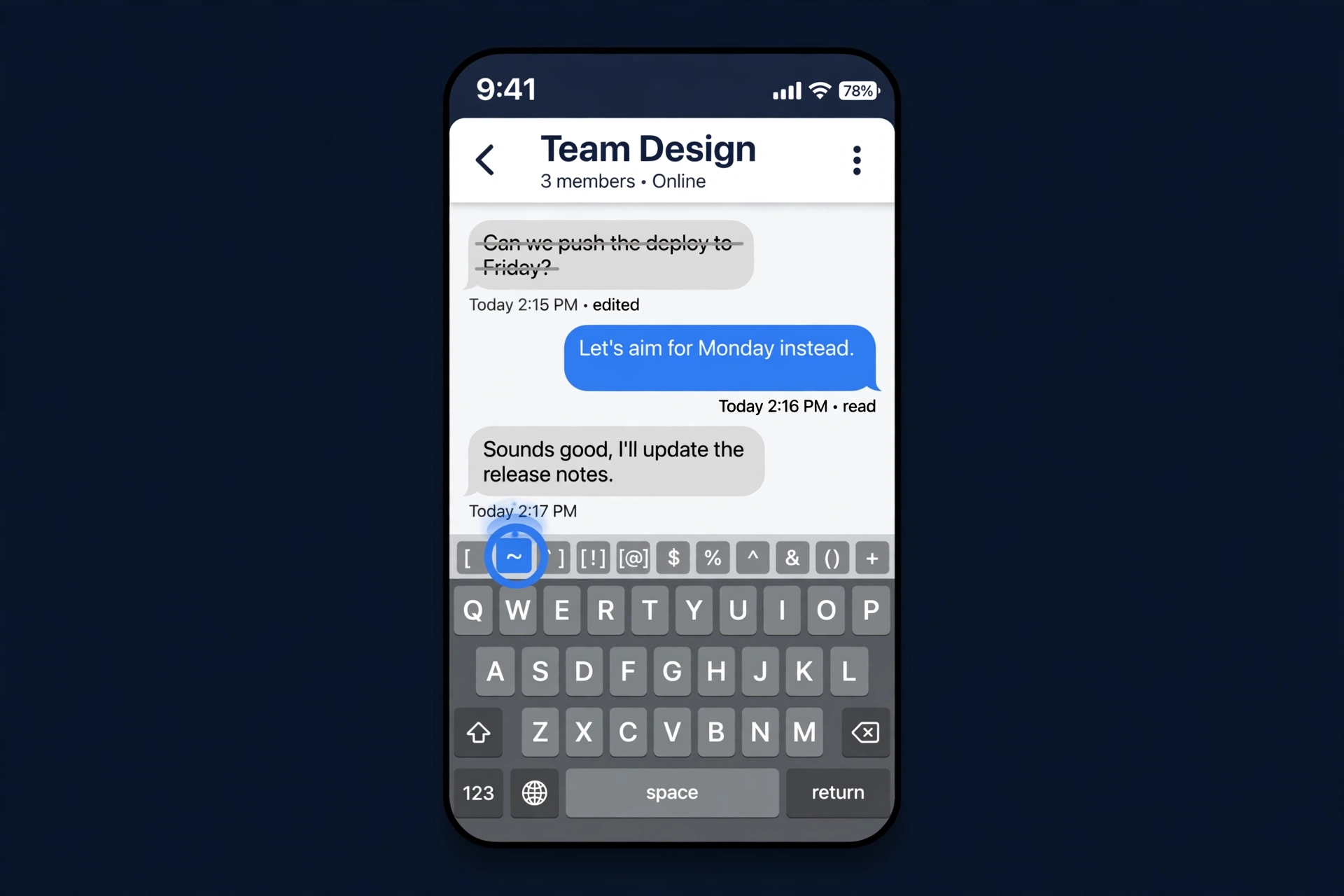
There is no formatting toolbar in the Discord mobile app, so you type the tildes manually. Here is how to do strikethrough text on Discord mobile:
On iPhone
- Open the Discord app and tap the message box.
- Tap the
123key to switch to the numbers/symbols keyboard. - Tap the
#+=key to reach the second symbols page. - Find the tilde (
~) key and tap it twice — once before and once after your text, with no spaces touching the words. - Tap send.
On Android
- Open Discord and tap the message box.
- Tap
?123for the symbols keyboard. - On most Android keyboards (Gboard, Samsung Keyboard), the tilde sits on the second symbols page — tap
=<or the equivalent key to get there. - Type
~~around your text and send.
The symbols pages differ slightly between keyboard apps, but the tilde is always on one of them — usually near the backtick, caret, or pipe characters.
Where Is the Tilde Key? Keyboard Layout Guide
The single most common reason people fail at Discord strikethrough is simply not finding the tilde. It moves around depending on your layout:
- US QWERTY: top-left key, shared with the backtick — press
Shift + `. - UK QWERTY: usually to the left of Enter (shared with
#), or top-left depending on the board — pressShiftwith that key. - German QWERTZ: typically
AltGr + +or near the top-right number row. - French AZERTY: often
AltGr + é, or on the number row with Alt. - Mac (any layout): on US Mac keyboards it is
Shift + `at top-left; on international Mac layouts check the Keyboard Viewer (System Settings → Keyboard → Input Sources → Show Input menu).
If you truly cannot find it, long-press the n key on many mobile keyboards (which offers ñ and ~), or copy ~~ from this page and paste it — then just remember it is two tildes, not one.
Strikethrough Without Typing Symbols
Is there a Discord strikethrough shortcut or command? Honestly: no reliable one.
- Keyboard shortcut: Discord has shortcuts for bold (
Ctrl+B), italic (Ctrl+I) and underline (Ctrl+U), but there is no built-in strikethrough shortcut likeCtrl+Shift+X. If a website claims otherwise, it does not work consistently across Discord clients. - Slash command: there is no
/strikethroughcommand in Discord.
What does work on desktop: type your message, highlight the text with your mouse, and a small pop-up toolbar appears above the selection with formatting options — including strikethrough. Clicking it wraps your selection in ~~ automatically. This is the closest thing to a shortcut, and it only exists on the desktop and web apps, not mobile.
Power users on Windows and Mac sometimes set up OS-level text replacements (for example, typing ;strike expands to ~~~~ with the cursor in the middle). That is a nice convenience, but the Markdown itself is still what Discord reads.
Combining Strikethrough With Bold, Italic, Underline and Spoiler
Strikethrough stacks with other formats. The rule is simple: put the ~~ markers on the outside and the other style’s markers on the inside.
| Combination | Type this | Use it for |
|---|---|---|
| Bold strikethrough | ~~**text**~~ | Canceled announcements that must be noticed |
| Italic strikethrough | ~~*text*~~ | Soft corrections and asides |
| Underline strikethrough | ~~__text__~~ | Headings that changed |
| Spoiler strikethrough | ~~||text||~~ | Crossed-out spoilers (hidden until clicked) |
| Everything at once | ~~__***text***__~~ | Rarely — hard to read, use sparingly |
Important: if a combination refuses to render, the marker order is almost always the cause. Discord resolves nesting from the outside in, so keep ~~ outermost and check that every opening marker has a matching closer.
How to Add Strikethrough to a Message You Already Sent
You do not need to delete and resend. Discord lets you edit any of your own messages:
- Hover over the message on desktop (or long-press it on mobile) and click the pencil / Edit icon.
- Insert
~~before and after the text you want crossed out. - Save. The message updates in place with strikethrough applied, and Discord marks it as edited.
This is handy when you post a price, a time, or a plan and it changes five minutes later — just strike the old value and add the new one: ~~7 PM~~ 8 PM.
6 Reasons Your Strikethrough Isn’t Working (and Fixes)
If your tildes show up as literal characters instead of a line through the text, one of these is the cause:
- Spaces between the tildes and the text.
~~ hello~~will not render. The markers must touch the words:~~hello~~. This is the #1 cause. - Only one tilde on a side. A single
~does nothing in Discord — you need exactly two on each side. - An odd number of tildes.
~~~text~~confuses the parser. Count them: two before, two after. - Formatting inside a code block. Nothing renders inside triple-backtick code blocks — that is their purpose. If your whole message is in a code block, the tildes stay literal.
- A bot or webhook stripped the Markdown. Some bots re-post messages as plain text or embeds, which can drop formatting. Test the same syntax in a normal channel first.
- You are editing a username, nickname, channel name, or role name. Discord does not render Markdown in names at all (see the next section) — the tildes will always show literally there.
Tip: when in doubt, test in a private DM with yourself or a test channel. If ~~test~~ renders there, the syntax is right and something about the original location is blocking it.
Where Strikethrough Does and Doesn’t Work
Strikethrough works anywhere Discord renders Markdown: server channels, DMs, group chats, threads, forum posts, and message embeds sent by bots that pass Markdown through.
It does not work in:
- Usernames, nicknames, and About Me sections — Markdown is stripped in profile fields.
- Channel, category, and role names — same reason; the tildes appear as plain characters.
- Server names and event titles — plain text only.
- Regular SMS and iMessage —
~~is Discord/Markdown syntax, not a phone feature. If someone asks “can you strikethrough a text message,” the answer is: in Discord mobile yes, in your phone’s SMS app no.
Want styled text for a username or bio where Markdown is not allowed? That is a different trick — Unicode-styled characters from a fancy text generator work anywhere because they are real characters, not formatting.
Cross Out Text vs Other Formatting: When to Use Which
| Situation | Best format | Syntax |
|---|---|---|
| Correcting yourself mid-message | Strikethrough | ~~old~~ new |
| Marking a to-do item done | Strikethrough | ~~Buy snacks~~ |
| Jokes and sarcasm | Strikethrough | ~~I love Mondays~~ |
| Emphasizing a keyword | Bold | **text** — see how to make text bold on Discord |
| Hiding a movie or game spoiler | Spoiler | ||text|| |
| Quoting someone’s message | Block quote | > text |
A good rule of thumb: strikethrough says “this was true, now it isn’t” or “I’m saying this but don’t take it seriously.” Bold says “pay attention.” Spoilers say “don’t read this yet.” Pick the one that matches your meaning and your messages get instantly clearer.
Strikethrough is a small skill that pays off every day — corrections, jokes, and done-lists all read better with a line through them. Master the double tilde and it becomes muscle memory within a week. And when you want the rest of the toolkit, our complete Discord text formatting guide covers every style Discord supports.
Need crossed-out text outside Discord too? Try our free strikethrough text generator — it works anywhere you can paste text.
Frequently Asked Questions
How do you strike in Discord?
Type two tildes before and after the text: ~~your text~~. Send the message and Discord draws a line through it.
Can I do strikethrough text in Discord?
Yes. Strikethrough works in all Discord messages — server channels, DMs, threads, and forum posts — on desktop, web, iPhone, and Android.
How do I type a strikethrough?
On a US keyboard, press Shift plus the backtick key (top-left) to type a tilde ~, and type it twice on each side of your text: ~~like this~~. On mobile, find the tilde on the symbols keyboard (123, then #+= on iPhone).
What is Ctrl for strikethrough?
There is no built-in Ctrl shortcut for strikethrough in Discord. Discord has Ctrl+B/I/U for bold, italic, and underline, but strikethrough must be typed as ~~ or applied via the desktop highlight-and-click pop-up toolbar.
Can you strikethrough a text message?
In Discord’s mobile app, yes — type ~~ around the text. In regular SMS or iMessage, no — ~~ is Discord/Markdown syntax, not a phone feature, so the tildes would show literally.
How to do strikethrough text on Discord mobile?
Switch to the symbols keyboard (123 on iPhone,?123 on Android), find the tilde on the second symbols page, and type ~~ immediately before and after your text with no spaces touching the words.
How do I make strikethrough text?
Wrap the text in double tildes: ~~text~~. Make sure there are no spaces between the tildes and the text, and that you use two tildes on each side, not one.
Why is my strikethrough not working in Discord?
The most common causes are spaces between the tildes and the text, using a single tilde instead of two, or trying it inside a code block or a username/channel name where Markdown does not render. Fix the spacing first — that solves it most of the time.
Does strikethrough work in Discord usernames?
No. Discord strips Markdown in usernames, nicknames, channel names, and role names. The tildes will appear as literal characters. For styled usernames, use Unicode characters from a fancy text generator instead.