
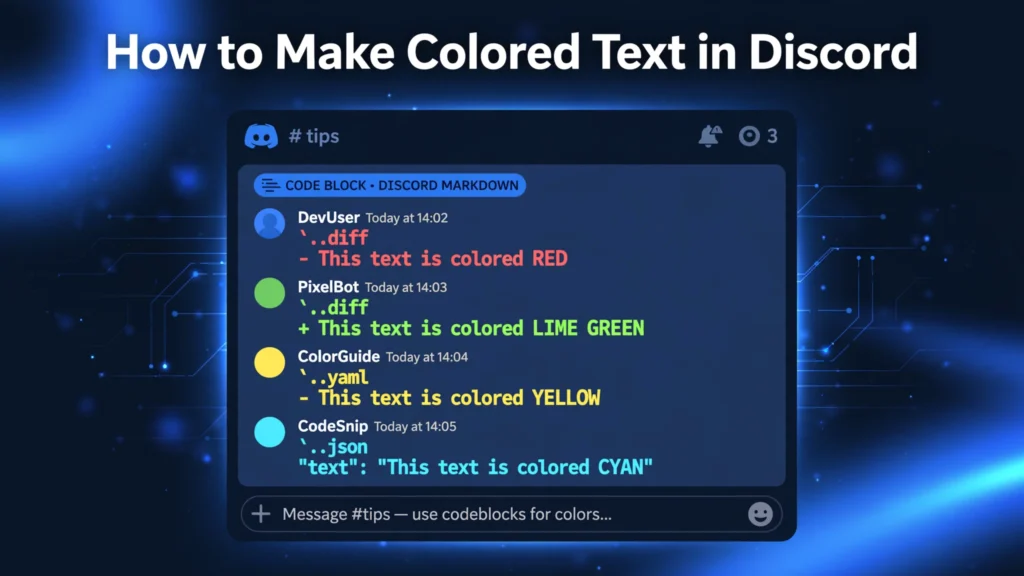
To make colored text in Discord, send your message in a triple-backtick code block with a language tag — a ```diff block with - red text renders in red. There is no built-in color button: color comes from code-block syntax highlighting or ANSI codes, and works only in chat messages. This Zyrro guide covers both methods and every color code.
Colored text is normal text inside a Discord code block that Discord’s syntax highlighter — or its ANSI renderer, added in 2022 — paints in color. Below: the quick answer, full color tables for both methods, a comparison, mobile behavior, and fixes for common mistakes.
Table of Contents
- How do you make colored text in Discord?
- How do I make red, green, blue, or yellow text in Discord?
- What are Discord ANSI color codes?
- Which method should I use: syntax highlighting or ANSI?
- How do I make rainbow or pink text in Discord?
- How do I make colored text in Discord mobile?
- Can I use colored text in my Discord bio or nickname?
- Why isn’t my colored text working in Discord?
- Frequently Asked Questions
How do you make colored text in Discord?
You make colored text in Discord by wrapping your message in a triple-backtick code block with a language tag, then typing your text with the marker that language’s highlighter colors. The fastest example: type ```diff, press Enter, type - This is red on one line and + This is green on the next, close with ```, and send.
The two methods that work in 2026: the syntax-highlight trick (easy, a handful of fixed colors) and ANSI escape codes (more colors and backgrounds, but you have to copy an invisible character).
Important to know up front: Discord has no native color picker, and color only appears inside code blocks in chat messages — never as inline colored words, and never in profile bios or nicknames.
How do I make red, green, blue, or yellow text in Discord?
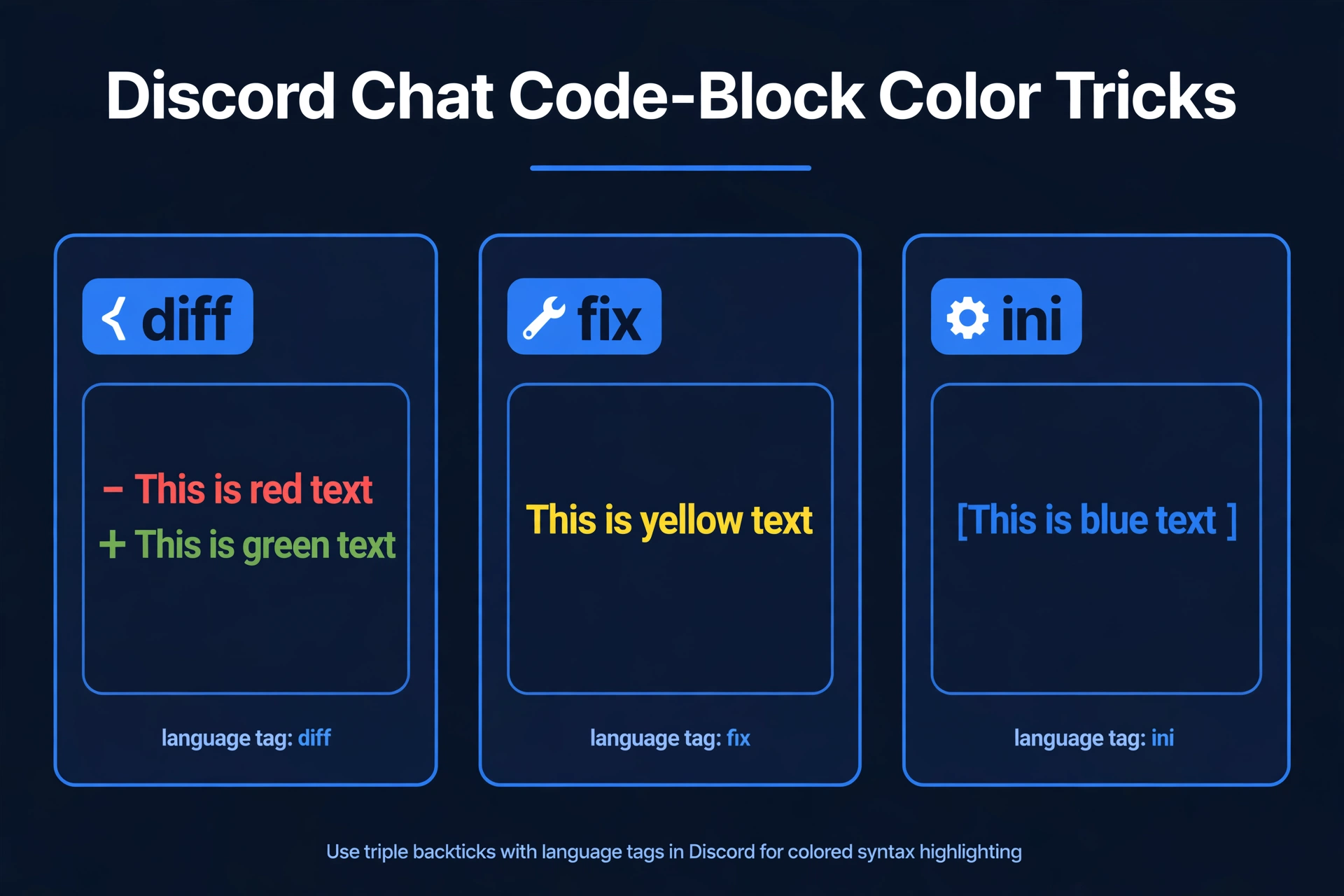
Use the syntax-highlight method. Discord colors code blocks with a library called Highlight.js — start your block with a language name and you borrow its coloring. Each language paints text differently, so you pick the one that gives the color you want.
The syntax:
```diff
- This text appears red
+ This text appears green
```
The opening backticks and the word diff must be on the same line with no space between them. Close the block with three backticks on their own line.
The full color table for this method:
| Color | Language tag | How to type it | Example |
|---|---|---|---|
| Red | diff | Start the line with - (hyphen + space) | ```diff |
| Green | diff | Start the line with + (plus + space) | ```diff |
| Yellow / gold | fix | No marker needed | ```fix |
| Blue | ini | Wrap text in square brackets [ ] | ```ini |
| Cyan | json | Wrap text in double quotes " " | ```json |
| Orange | css | Wrap text in square brackets [ ] | ```css |
| Yellow | yaml | No marker needed | ```yaml |
| Green | bash | No marker needed | ```bash |
Tip: red is by far the most-searched color — a diff block with a leading - is the quickest way to make red text in Discord.
Other tags (such as tex, elm, or lua) appear in older guides, but their colors vary between Discord versions — test them yourself before relying on them.
What are Discord ANSI color codes?
Discord ANSI color codes are escape sequences inside a code block tagged ansi that color individual words, mix colors in one block, and set backgrounds. Discord added ANSI support in 2022, using the Solarized palette — 9 text colors, 9 backgrounds, plus bold and underline combinations.
The catch: each sequence starts with the invisible ESC character (U+001B), which no keyboard can type — that is why colored-text generators exist: pick colors visually, copy the block, paste it into Discord.
The structure ([ESC] = the invisible character you copy, not type):
```ansi
[ESC][1;31m This is bold red text [ESC][0m
```
The color number sits between [ and m, and [ESC][0m at the end resets formatting so the rest of the block is not tinted.
Discord’s ANSI text color codes:
| Color | Code | Bold version |
|---|---|---|
| Gray | 30 | 1;30 |
| Red | 31 | 1;31 |
| Green | 32 | 1;32 |
| Yellow | 33 | 1;33 |
| Blue | 34 | 1;34 |
| Pink | 35 | 1;35 |
| Cyan | 36 | 1;36 |
| White | 37 | 1;37 |
Use 1; for bold and 4; for underline before the color number (4;34 = underlined blue); backgrounds use 40–47. Practical workflow: build the block in a generator, copy the whole thing, paste it into Discord, send.
Which method should I use: syntax highlighting or ANSI?
Use syntax highlighting (Method 1) when you want one or two colors fast with zero setup — a red warning line or a green announcement takes seconds to type by hand. Use ANSI codes (Method 2) when you need precise control: multiple colors in one block, backgrounds, bold or underlined colored text, or pink, which the highlight trick cannot produce.
| Method 1: Syntax highlighting | Method 2: ANSI codes | |
|---|---|---|
| Typing effort | Type by hand — easy | Must copy the invisible ESC character |
| Colors | ~8 fixed colors | 9 text + 9 background colors |
| Bold / underline | No | Yes (1; / 4;) |
| Multiple colors per block | Limited (diff gives red + green) | Yes — any mix |
| Mobile support | Shows as a monochrome code block on most phones | Same — unreliable on mobile |
| Best for | Quick red/green/yellow/blue lines | Stylized announcements, pink/purple text |
How do I make rainbow or pink text in Discord?
For pink or rainbow text, use the ANSI method: only ```ansi blocks support pink (35) and mid-block color changes. The syntax-highlight trick has no pink, and its palette is fixed per language tag.
A rainbow-style block looks like this (again, [ESC] is the invisible character you copy from a generator, not something you type):
```ansi
[ESC][31mRed [ESC][33mYellow [ESC][32mGreen [ESC][36mCyan [ESC][34mBlue [ESC][35mPink[ESC][0m
```
Each color switch is its own [ESC][NNm sequence, and the final [ESC][0m resets everything. Nobody hand-types rainbow blocks — build them in a generator, copy the output, and paste it into Discord.
How do I make colored text in Discord mobile?
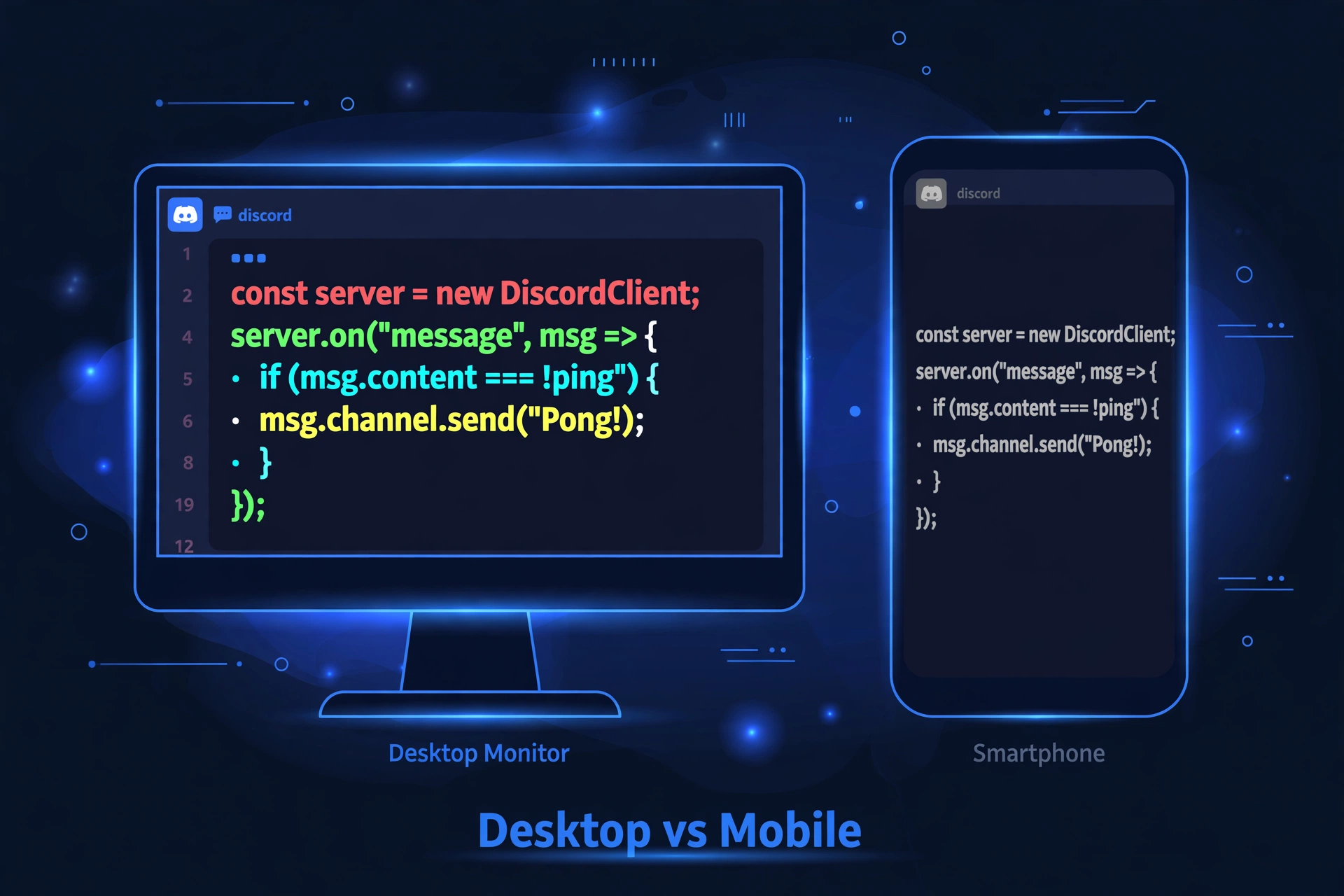
Colored text in Discord mobile (iPhone and Android) is unreliable: the phone apps have rendered ANSI color blocks inconsistently, and syntax-highlight colors frequently show as plain monochrome code blocks. The syntax itself is identical on mobile — triple backticks are under the symbols keyboard on both iOS and Android — but expect many mobile readers to see your message without colors.
The fallback is graceful — the block stays readable, just gray. Never let color carry meaning alone: if posting “red = cancelled, green = confirmed”, also write the words out.
For colorful text in a username or bio instead of a chat message, the color trick cannot help — it only works inside code blocks. Our Fancy Text Generator is the better tool there: it produces styled Unicode text (bold, script, circled letters) that renders everywhere, including bios and nicknames.
Can I use colored text in my Discord bio or nickname?
No. Colored text only works inside triple-backtick code blocks in chat messages, and Discord profiles, “About Me” bios, nicknames, and channel names do not render code blocks at all. Pasting a color block into your bio shows the raw backticks and tags as plain text — the colors never appear.
For profile customization, use styled Unicode text instead: our Fancy Text Generator creates bold, italic, script, and decorative letter styles that work in bios, nicknames, and status messages. If you already know how to make text bold in Discord or italicize text in Discord, those markdown tricks also work in many profile fields — color is the one effect locked to code blocks.
Why isn’t my colored text working in Discord?
Colored text fails for a small set of repeatable reasons. Check them in this order:
- The language tag is wrong. It must be exactly
ansi,diff,fix— lowercase, no quotes, no space after the opening backticks.```Diffwill not color anything. - You retyped the ANSI block instead of copying it. The ESC character is invisible and cannot be typed. If you rebuilt an ANSI block by hand, the escapes are missing — always copy the whole block from a generator.
- You are reading it on mobile. Phone apps render colored blocks inconsistently. Check the same message on desktop or the web app before assuming the syntax is broken.
- Spaces in the wrong place. In
diffblocks the marker needs a hyphen or plus plus a space (- text); inini/cssthe brackets must wrap the text with no leading space. - You pasted it somewhere code blocks do not render. Bios, nicknames, embeds, and channel topics will not show colors — only chat messages.
- Theme or client quirk. Rarely, a Discord client update or custom theme dulls highlight colors. Sending the same block from the web app is a quick way to rule this out.
If you are learning the rest of Discord’s formatting alongside colors, our complete Discord text formatting guide covers strikethrough text in Discord and spoiler text in Discord too.
Want underlined text to go with your colored messages? Try our free underline text generator — 15 Unicode underline styles you can copy and paste anywhere.
Frequently Asked Questions
How do you color text in Discord?
Wrap your message in a triple-backtick code block with a language tag — for example ```diff with - for red or + for green — or use an ```ansi block with ANSI escape codes for full color control. There is no built-in color button; both methods borrow color from code-block rendering, and both only work inside chat messages.
Can I make colored text in Discord without Nitro?
Yes. Colored text has nothing to do with Nitro — both the syntax-highlight method and ANSI codes work on free accounts on desktop and web. Mobile apps render the colors inconsistently regardless of Nitro status, so this is a platform limitation, not a paywall.
What is the easiest way to make red text in Discord?
Type ```diff, press Enter, type - Your text here, close with ```, and send. The leading hyphen makes the whole line render red. It takes five seconds, works by hand with no generator, and is the most reliable single-color trick in Discord.
Do colored-text generator tools work?
Yes — generators exist precisely because the ANSI method needs the invisible ESC character (U+001B), which no keyboard can type. You pick colors in the tool, copy the generated ```ansi block, and paste it into Discord. Paste the entire block exactly as generated; retyping any part of it strips the escape characters and breaks the colors.
How do I get colored text in my Discord bio?
You cannot — Discord bios, nicknames, and channel names do not render code blocks, so color tricks never display there. For profile styling, use Unicode-based styled text instead, which renders everywhere. Our Fancy Text Generator produces bold, script, and decorative styles designed exactly for bios and usernames.
Why does my colored text look gray on my phone?
Discord’s mobile apps have rendered colored code blocks inconsistently — many phones show them as plain monochrome blocks while desktop shows the full colors. The message itself is fine; the color is simply not displayed on that device. Never rely on color alone to convey meaning when your audience reads on mobile.
Conclusion
Colored text in Discord is a two-method trick: the quick syntax-highlight route (diff, fix, ini, json) for everyday red, green, yellow, and blue lines, and ANSI code blocks for full control — pink, backgrounds, bold, and rainbow effects. Remember the limits: code blocks only, chat messages only, and mobile readers may see gray. Master those, and your announcements and server rules will never blend into the chat again — exactly the kind of practical skill Zyrro’s Discord guides are built to teach.